A more comfortable way to listen
Take the sharp edges off browser audio.
Sonic Shielding is a Chrome and Brave extension for people with migraines, sensitive hearing, or anyone who wants sudden and piercing sounds to feel less disruptive.
This extension is currently in the process of being published. It is under review by Google. Once the extension has been approved by Google a link will be provided here so you can add it to your browser.
Video advertisement · Autoplays silently
Inside the audio engine
Protection that responds to the sound itself.
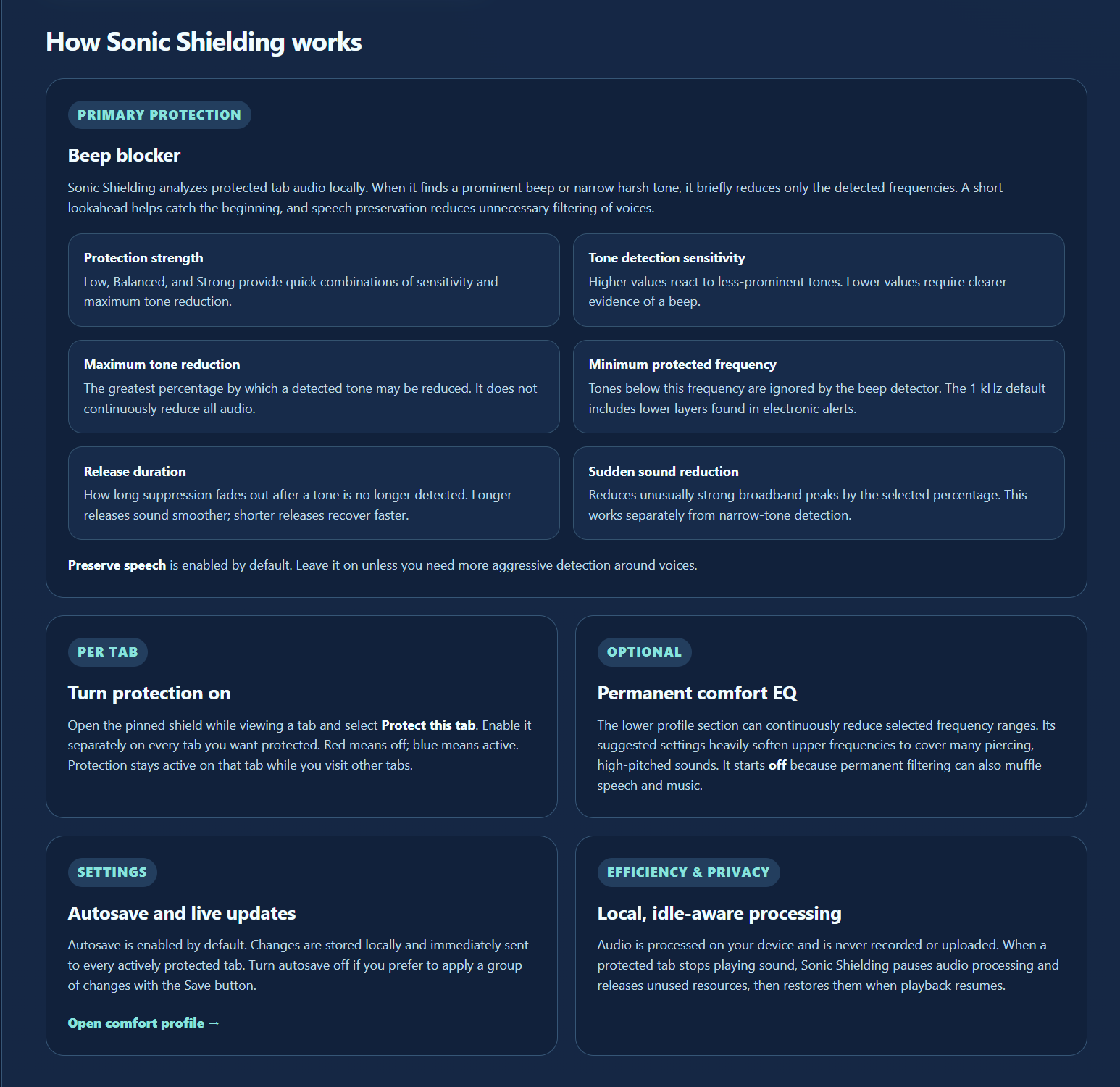
A real-time Web Audio processor analyzes short windows of each protected tab, identifies risky patterns, and applies only the reduction that the selected comfort profile calls for.
Frequency-based softening
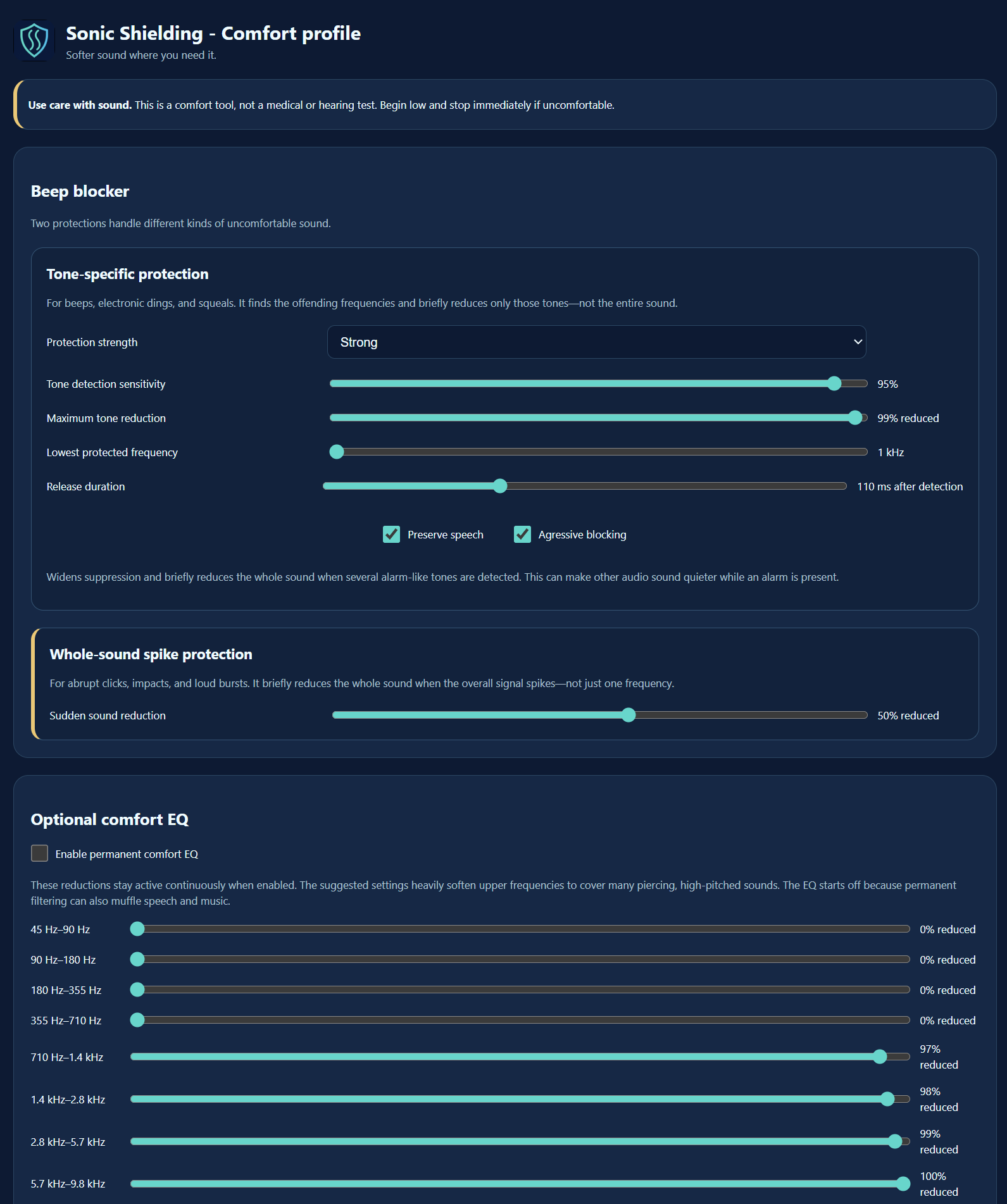
Nine peaking biquad filters are centered at 63, 125, 250, 500, 1,000, 2,000, 4,000, 8,000, and 12,000 Hz. Each saved reduction is converted to decibels and new filter coefficients, giving the listener persistent per-band control without applying one blanket volume cut.
Beep and tone detection
A 1,024-sample Hann-windowed FFT runs every 256 samples. Local spectral peaks are compared with neighboring bins in decibels, then ranked by prominence. Sensitivity, the protected-frequency floor, and speech preservation all change the threshold used to accept a candidate.
Adaptive notch filtering
Tonal candidates are grouped in roughly 80 Hz regions and normally must persist across consecutive analysis frames. Up to six second-order notch filters track confirmed frequencies, attack in about 4 ms, and fade out over the listener’s 40–250 ms release setting.
Alarm-signature reduction
Aggressive mode looks for multiple stable tonal components instead of reacting to a single peak. Once confirmed, it widens the notch filters, shortens attack to about 2 ms, and can duck the complete signal by up to 80% of the selected tonal strength until the signature clears.
Speech preservation
The default path adds 2 dB to the prominence requirement and will not treat ordinary voiced harmonics as an alarm. Whole-signal ducking requires at least three peaks stable for six frames, including two above 5 kHz and one above 9 kHz.
Peak limiting and look-ahead
A separate per-channel envelope follower catches broadband clicks, impacts, and bursts against the configured digital ceiling. A 40 ms delay provides analysis time; the limiter uses a roughly 1 ms attack and 80 ms recovery so peaks are reduced before they reach the output.
Get set up
Pin the extension and start protecting a tab.
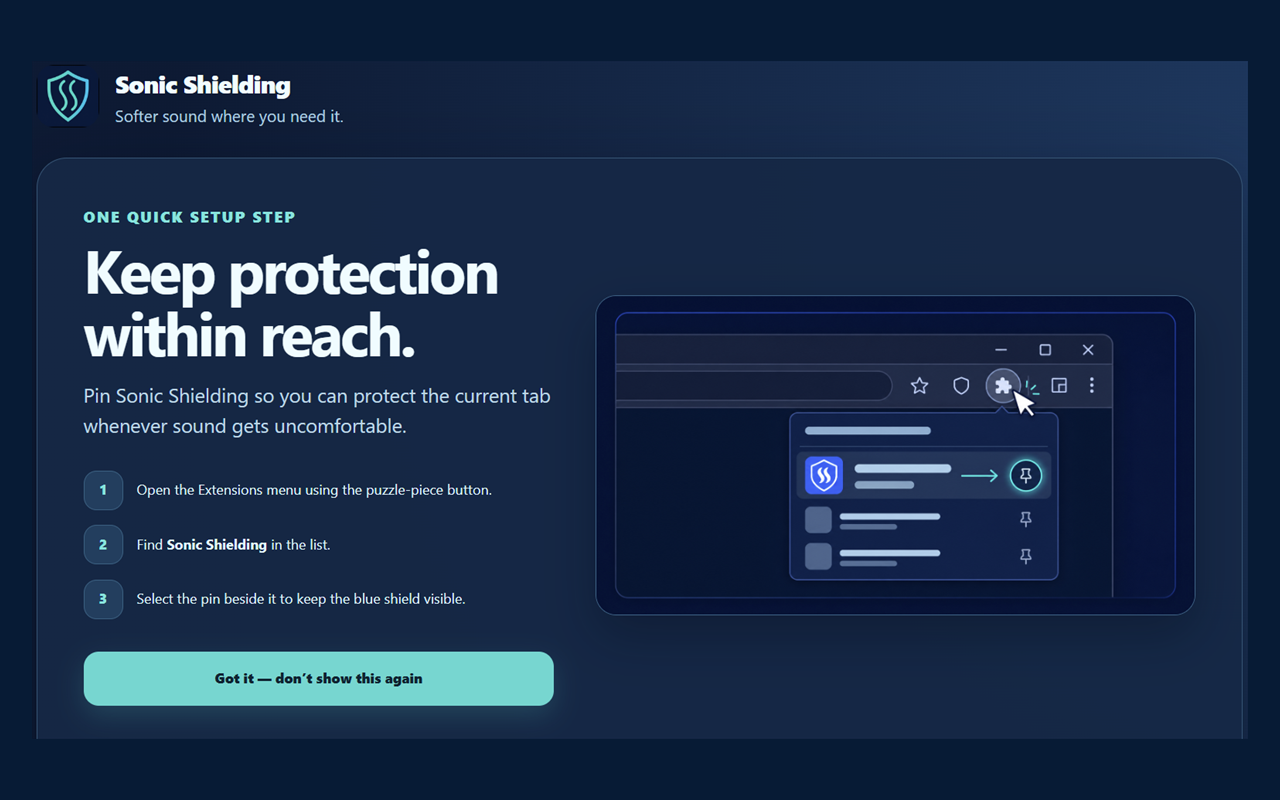
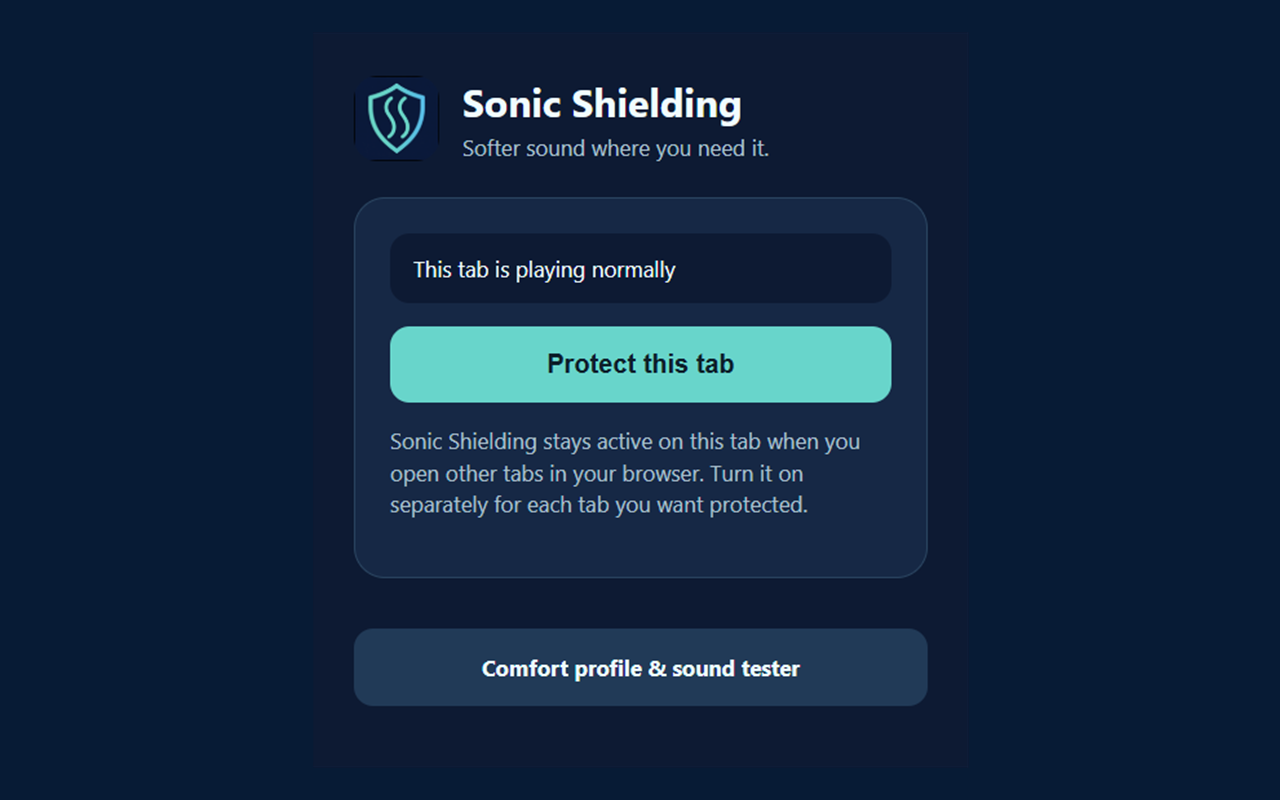
Choose each tab
Protection stays explicit and under your control.
Shape the response
Balance tonal, peak, alarm,and speech-safe behavior.
Fine-tune frequencies
Save a local nine-band comfort profile.
Private by architecture
Your audio stays on your device.
Processing happens locally in the browser. Sonic Shielding does not record audio, upload it, or send it to a remote analysis service. It also releases processing resources while protected audio is silent.
Explore Sonic Shielding
See the implementation or watch the full ad.
Sonic Shielding is a comfort tool, not a medical device or a guarantee that migraine symptoms will be prevented.